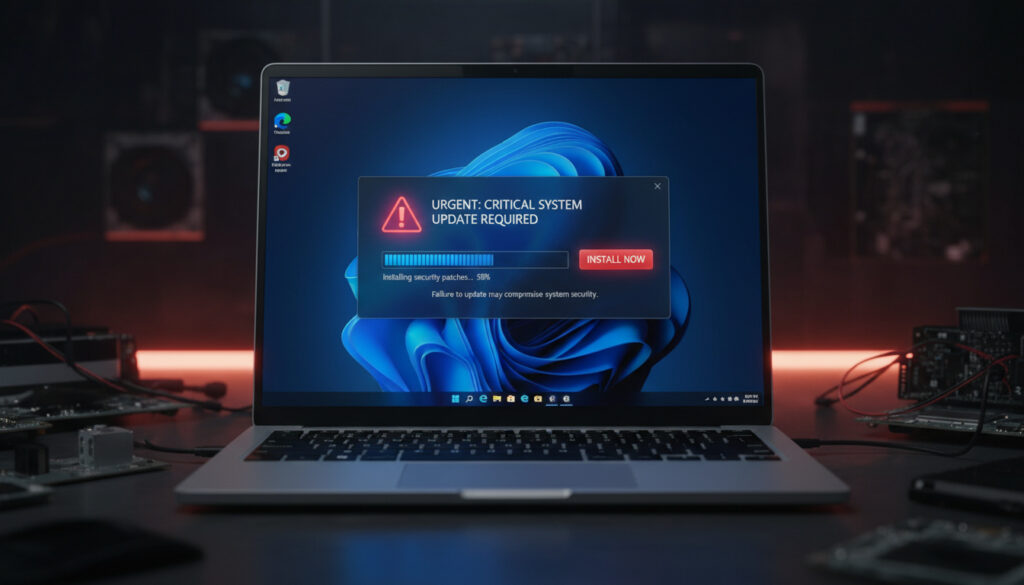
Windows 11 Emergency Update – Facts, Fixes and Install Guide
Searches for a “Windows 11 emergency update” frequently surface KB5043080, yet Microsoft released this patch on September 10, 2024, as a standard monthly security update rather than an out-of-band emergency fix. The build, numbered 26100.1742, targeted Windows 11 version 24H2—specifically Copilot+ PCs—and addressed 28 vulnerabilities ranging from critical to important severity.
Confusion persists regarding the update’s classification. Many system administrators encountered recommendations to deploy KB5043080 urgently due to the severity of its security fixes, leading to misconceptions that it constituted an emergency release. In reality, the patch followed Microsoft’s regular “B” release schedule for Patch Tuesday, distinct from unscheduled emergency updates issued outside the monthly cycle.
Understanding the distinction matters for deployment planning. While the update is mandatory for security compliance, it does not resolve VPN connectivity issues or installation failures affecting certain 24H2 configurations—problems that later cumulative updates would address separately.
What is the Windows 11 Emergency Update?
| Attribute | Details |
|---|---|
| Release Date | September 10, 2024 |
| KB Number | KB5043080 |
| Target Versions | Windows 11 version 24H2 (Copilot+ PCs) |
| Classification | Standard Patch Tuesday (Not Emergency OOB) |
- Critical Scope: Addresses 28 vulnerabilities (1 critical, 27 important) including MSHTML spoofing and Management Console remote code execution.
- Platform Specificity: Primarily targets Windows 11 version 24H2 running on Copilot+ PC hardware configurations.
- Servicing Stack: Includes KB5043113 (build 26100.1738) to ensure reliable installation of subsequent updates.
- Functional Improvements: Enhances Widgets Board security, Android sharing capabilities, and File Explorer stability.
- Accessibility: Updates Narrator functionality for improved screen reading performance.
- Non-Emergency Status: Released through standard channels despite critical security content.
- Exploit Availability: Some patched vulnerabilities had public exploits requiring CISA remediation by October 2024.
| Fact | Details |
|---|---|
| Update Identifier | KB5043080 |
| OS Build | 26100.1742 |
| Release Type | Monthly “B” Security Update |
| Target Platform | Windows 11 version 24H2 |
| Vulnerability Count | 28 total (1 Critical, 27 Important) |
| Servicing Stack | KB5043113 included |
| Key CVEs | CVE-2024-43461, CVE-2024-38259, CVE-2024-38240 |
What Issues Does the Windows 11 Emergency Update Fix?
Critical Security Vulnerabilities
KB5043080 resolves multiple high-severity security flaws, including Windows MSHTML Platform Spoofing (CVE-2024-43461), Microsoft Management Console Remote Code Execution (CVE-2024-38259), and Windows Remote Access Connection Manager Elevation of Privilege (CVE-2024-38240). Security researchers at Tenable rated the update as critical due to the presence of public exploits for several addressed vulnerabilities.
VPN and Network Connectivity
Contrary to widespread search queries, KB5043080 does not address VPN connectivity failures. Earlier April 2024 updates caused widespread VPN issues across Windows 11, 10, and Server versions, but these remained unresolved by this September release.
Microsoft has not released an emergency out-of-band update specifically for VPN issues in September 2024. KB5043080 focuses on security vulnerabilities rather than network connectivity repairs. Later updates such as KB5074109 (January 2026) addressed subsequent VPN-related problems, while DirectAccess issues in 24H2 received fixes in KB5044384.
How to Install the Windows 11 Emergency Update
Standard Windows Update Method
Systems running Windows 11 version 24H2 receive the update automatically through Windows Update. Microsoft recommends this channel for most users to ensure proper sequencing with the servicing stack update. The process requires a system restart to activate the security patches fully.
Manual Installation Challenges
Users attempting manual installation via the Microsoft Update Catalog or Windows Insider channels encountered specific failures on Intel and AMD-based Copilot+ PCs. Documentation indicates problems include installation stalls at various percentages, automatic rollbacks, and “Operation not supported” error messages. Microsoft issued a support document acknowledging these patterns without providing a formal hotfix. System administrators managing diverse hardware environments may find parallels in complex deployment scenarios across other technical fields, such as Real Madrid – Monaco – 6-1 Victory Report and Facts.
Workarounds involve verifying the correct architecture-specific package version and utilizing command-line deployment tools when GUI methods fail. Redownloading the specific build for x64 or ARM64 architectures often resolves the “Operation not supported” errors.
Is the Windows 11 Emergency Update Required and Safe?
Microsoft categorizes this update as mandatory for supported hardware configurations. Security scanning platforms rate the patch as critical to apply due to the severity of addressed vulnerabilities, particularly CVEs with known exploits.
Installation Reliability
The update is considered safe for production environments, though users reported deployment hurdles specifically when attempting manual installation on certain 24H2 configurations. These issues do not indicate security flaws in the patch itself but rather deployment complexity on specific hardware combinations.
Security fixes contained within KB5043080 are incorporated into subsequent releases including KB5072033 (December 2025) and KB5074109 (January 2026). Users installing these later updates receive the same vulnerability protections without requiring separate installation of the September 2024 patch.
Confirm successful installation by checking OS Build 26100.1742 in the About section of System Settings. If the build number matches, the security patches are active regardless of the installation method used.
When Was the Windows 11 Emergency Update Released?
- : Microsoft releases KB5043080 as part of the monthly Patch Tuesday cycle (OS Build 26100.1742). Source: Microsoft Support
- : CISA enforcement deadlines for several vulnerabilities patched in this update take effect, requiring federal agencies to remediate systems. Source: Tenable
- : Release of KB5072033, which includes all fixes from KB5043080 plus additional security updates for Windows 11 24H2.
- : Publication of KB5074109, resolving later VPN and WSL networking issues unrelated to the September 2024 update. Source: Microsoft Support
What Is Established Versus Uncertain About This Update?
| Established Facts | Unclear or Misreported |
|---|---|
| Released September 10, 2024 as standard Patch Tuesday | Whether “emergency” labeling ever applied to this specific KB |
| Addresses 28 specific CVEs with documented severity | Long-term stability impacts on all 24H2 hardware configurations |
| Targets Windows 11 version 24H2 exclusively | Root cause of manual installation failures on specific Copilot+ PCs |
| Not an emergency OOB release per Microsoft documentation | Timeline confusion with separate VPN patches |
| Safe for intended hardware when installed via Windows Update | Expected behavior on systems with specific enterprise configurations |
Why Did Confusion About an Emergency Update Emerge?
The terminology surrounding Windows updates often blurs the line between critical security releases and emergency out-of-band patches. KB5043080 arrived during a period of heightened concern regarding Windows 11 24H2 stability, particularly for Copilot+ PC adopters experiencing installation difficulties. Update history documentation shows this period involved multiple servicing stack adjustments.
Search trends indicate users conflated the severity of the vulnerabilities—several carrying critical ratings with active exploits—with the release mechanism. Unlike emergency updates issued outside Microsoft’s monthly cycle, this patch followed the standard schedule. The simultaneous occurrence of VPN issues in the broader Windows ecosystem, which required separate resolution in 2025 and 2026 updates, further muddled public understanding of which specific problems each patch addressed. Historical tracking of software releases shares methodological similarities with sports analytics, detailed in Punjab Kings vs Chennai Super Kings Timeline – Full IPL Head-to-Head Record. Per a més informació, consulta l’estat de la meva devolució d’impostos de Califòrnia. Estat de la meva devolució d’impostos de Califòrnia
What Do Official Sources Say?
KB5043080 is the September 10, 2024, Patch Tuesday security update (OS Build 26100.1742) for Windows 11 version 24H2, primarily targeting Copilot+ PCs; it addresses 28 vulnerabilities (1 critical, 27 important) but is not an emergency out-of-band (OOB) update.
— Tenable Research
No search results describe KB5043080 as emergency or OOB; OOB updates are referenced separately in Microsoft explanations (e.g., distinct from monthly security releases).
— Microsoft Documentation Analysis
What Should Users Remember?
Despite frequent references to “emergency” updates in search queries, KB5043080 represents a standard but critical security maintenance release for Windows 11 24H2. Users prioritizing system security should ensure this update or its later cumulative successors are installed, while those seeking specific VPN fixes should consult updates from 2025 and 2026. Real Madrid – Monaco – 6-1 Victory Report and Facts remains available for readers interested in alternative technical coverage.
Frequently Asked Questions
Is KB5043080 actually an emergency out-of-band update?
No. Microsoft released it on September 10, 2024, as a standard Patch Tuesday security update. It is not classified as an emergency OOB release despite addressing critical vulnerabilities.
Does this update fix VPN connection issues?
No. KB5043080 addresses security vulnerabilities only. VPN fixes appeared in later updates such as KB5044384 and KB5074109 (January 2026).
Why did my installation fail on a Copilot+ PC?
Manual installations via Update Catalog or Insider channels sometimes fail on Intel/AMD Copilot+ PCs with rollback errors. Try redownloading the architecture-specific version or using command-line deployment tools.
Is this update mandatory?
Yes. Microsoft requires it for security compliance on supported Windows 11 24H2 systems. However, later cumulative updates like KB5072033 also include these fixes.
How can I verify the update installed correctly?
Navigate to Settings > System > About. The OS Build should display as 26100.1742 when KB5043080 is successfully applied.
What specific vulnerabilities does this patch address?
It fixes 28 CVEs including MSHTML platform spoofing (CVE-2024-43461) and Management Console remote code execution (CVE-2024-38259), with one critical and 27 important severity ratings.
More related posts
 Love Is Blind Reunion – Season 6 Date Time Netflix Guide
 Water Filtration for Sink – Best Options Compared
 47 Inches in CM: 119.38 cm Exact Conversion + Guide
 200 000 Miles to Km – Precise Conversion and Calculator
 Canada Revenue Agency September 2025 Payment: Date & Eligibility
 Easy Oven Baked Salmon Recipe: Cyril Lignac Guide
 Lakers vs OKC Thunder Match Player Stats: Box Scores
 Best French Bakeries Near Me: Top Picks in Ireland